Your enemies are running optimized PCs. Radiant gives you faster inputs, better hit reg, and smoother gameplay — 298+ kernel-level tweaks, 22 premium tools, and AI that personalizes everything for your exact hardware. In under five minutes.
Most optimizers throw the same generic script at every PC. Radiant AI scans your exact hardware and builds a plan for the system in front of you.
Radiant is the only optimizer that scans for damage caused by other tools. Settings like disabled GPU preemption, misconfigured MMCSS, and wrong power plans are common mistakes that silently cost you FPS. Radiant detects them, flags them, and reverses the damage.
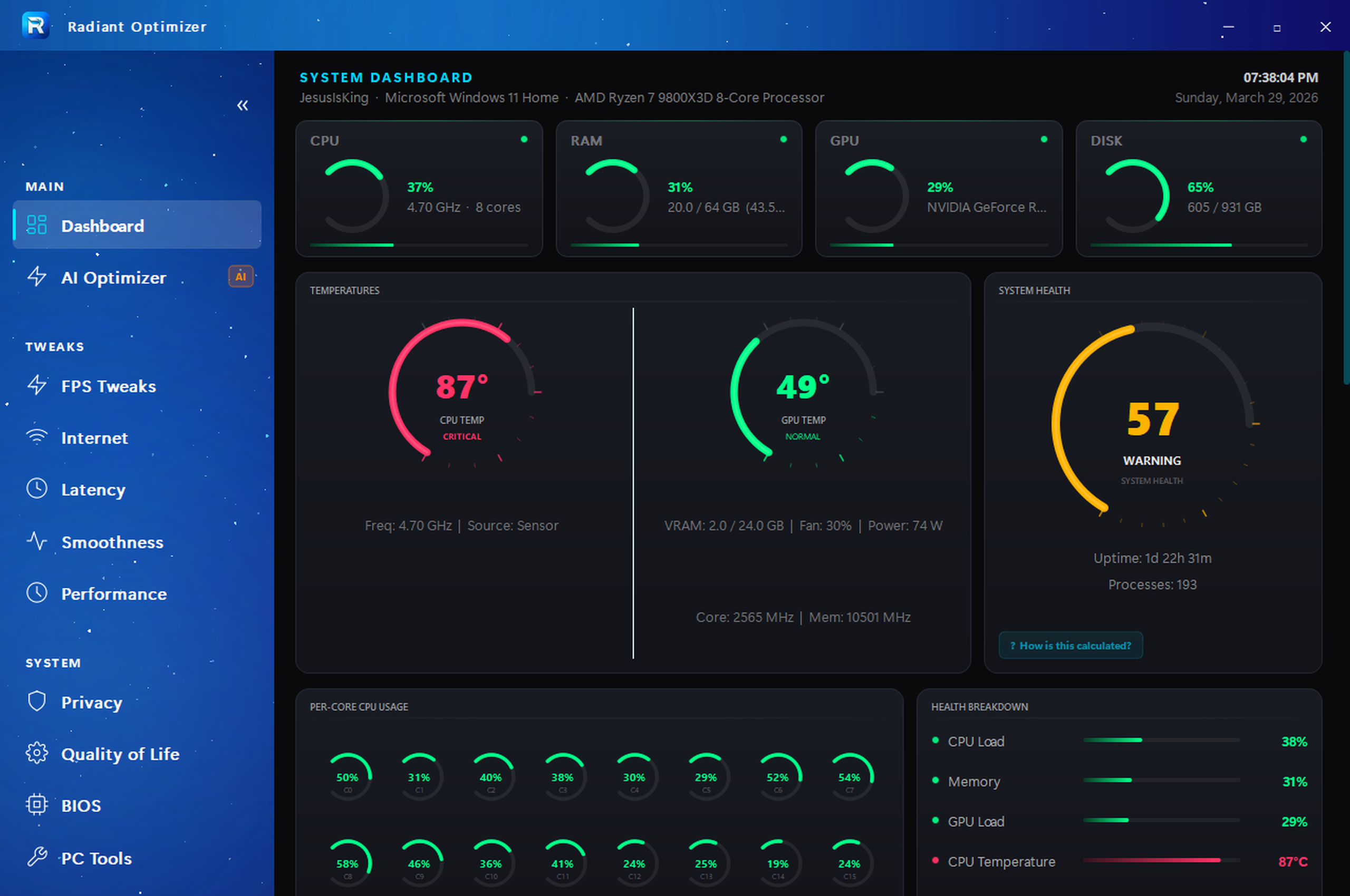
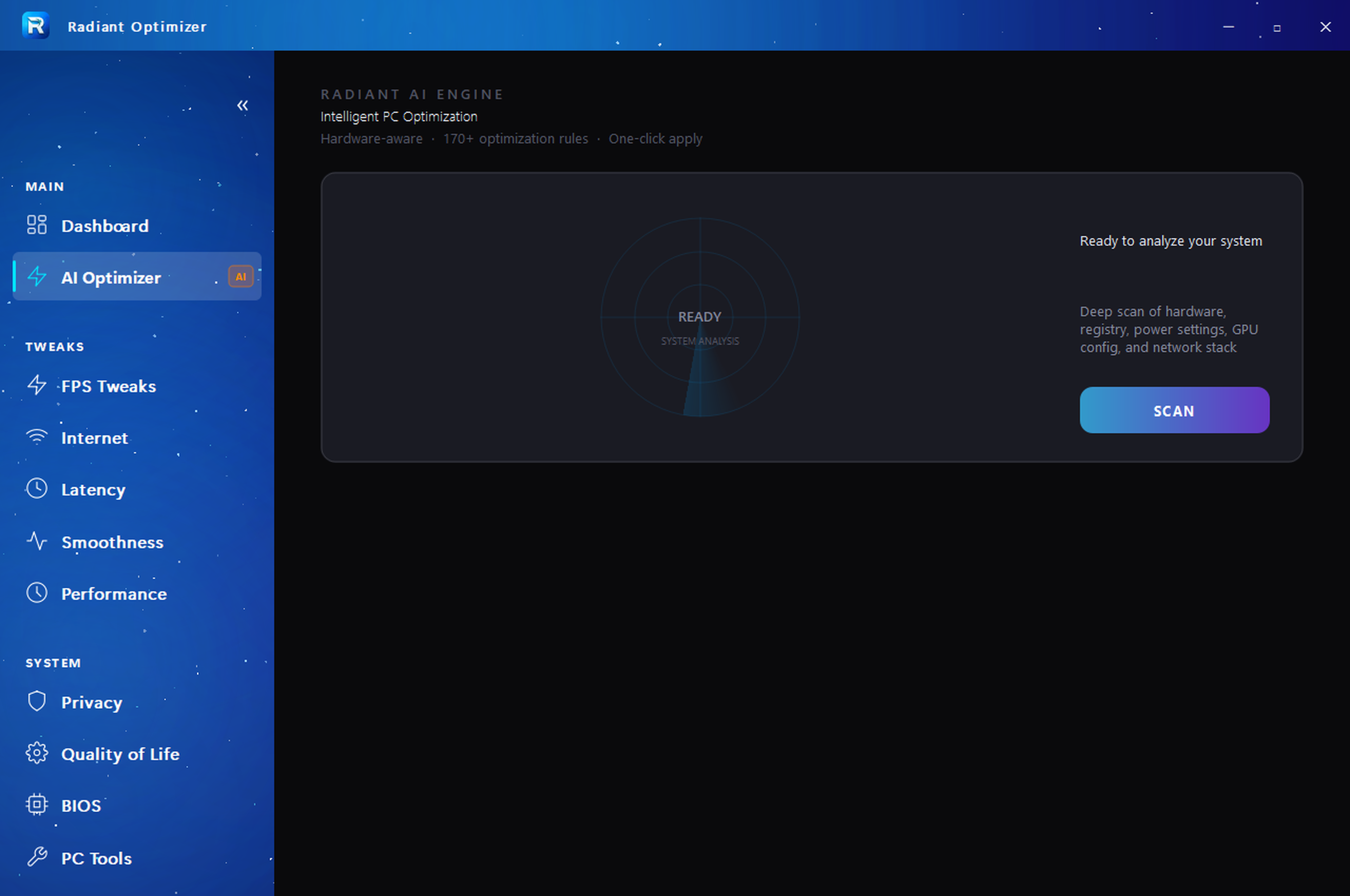
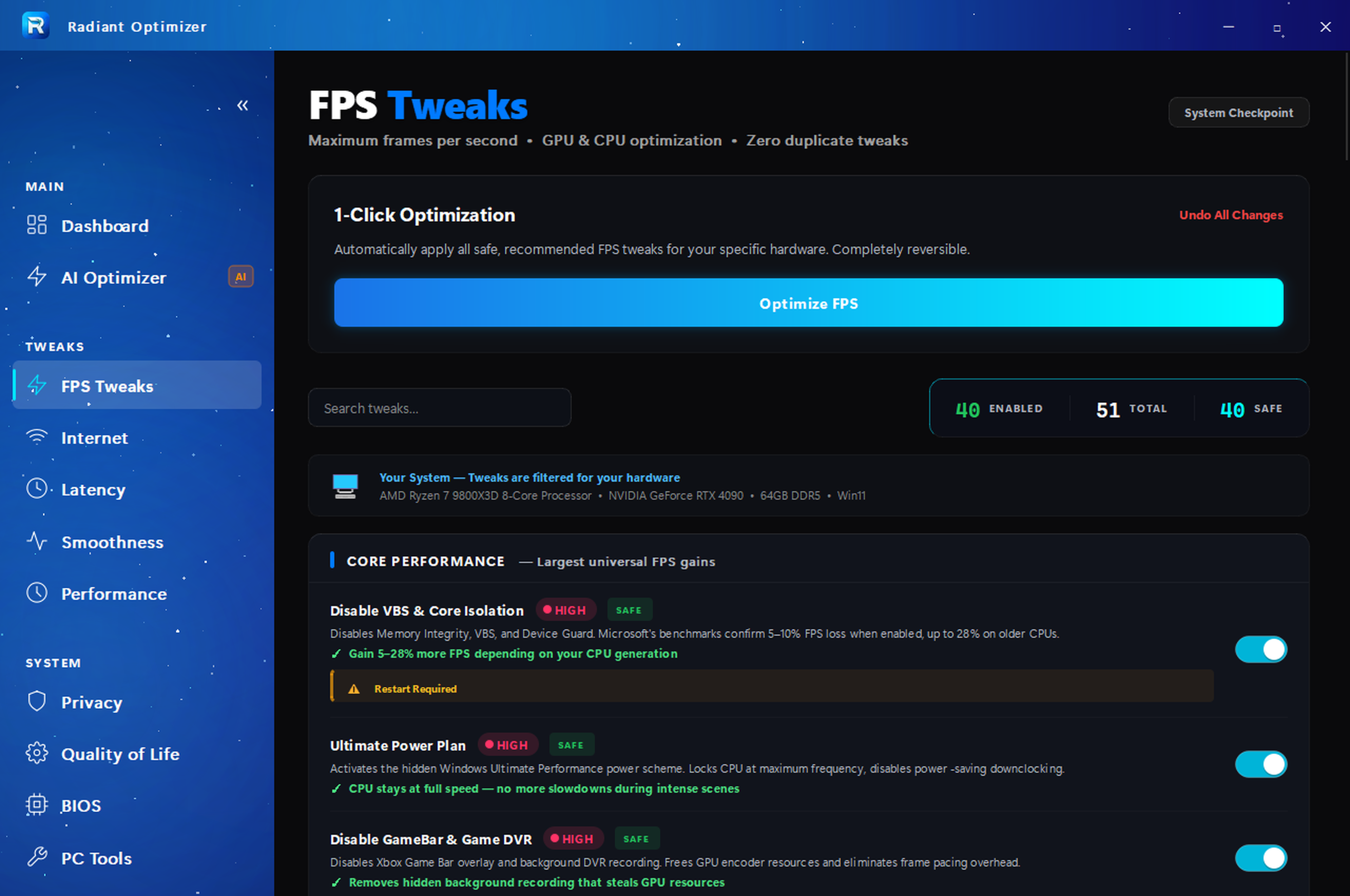
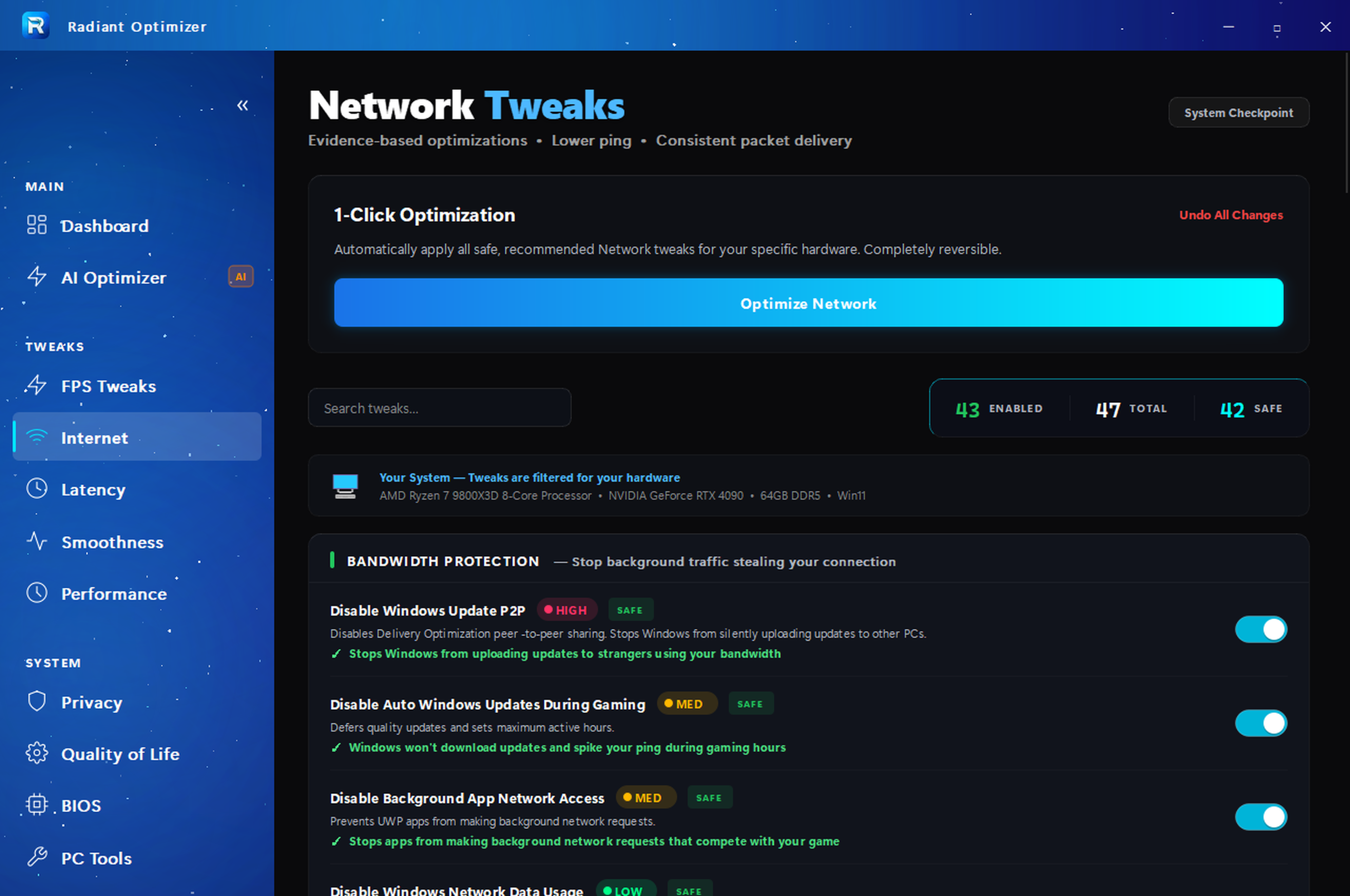
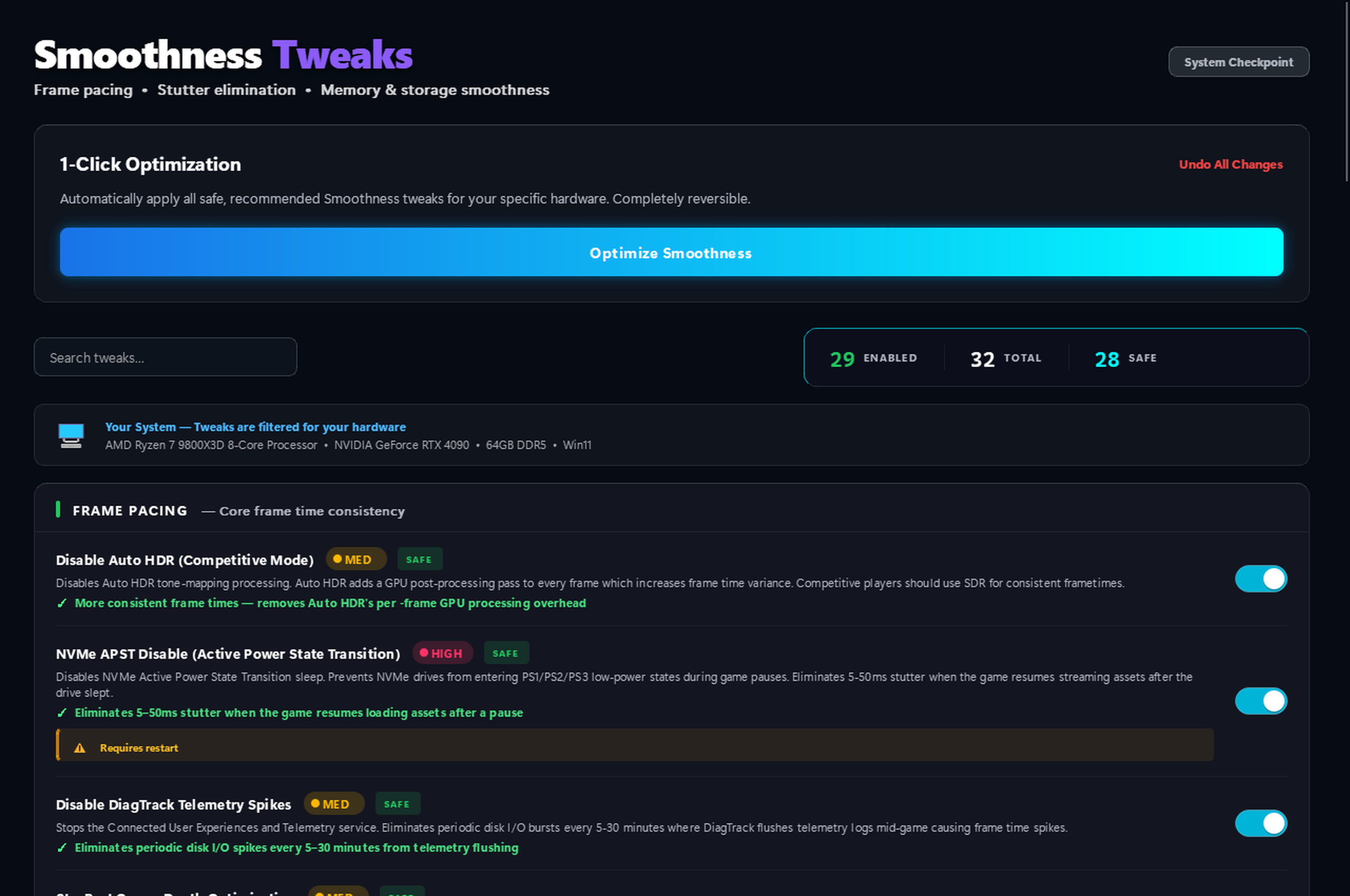
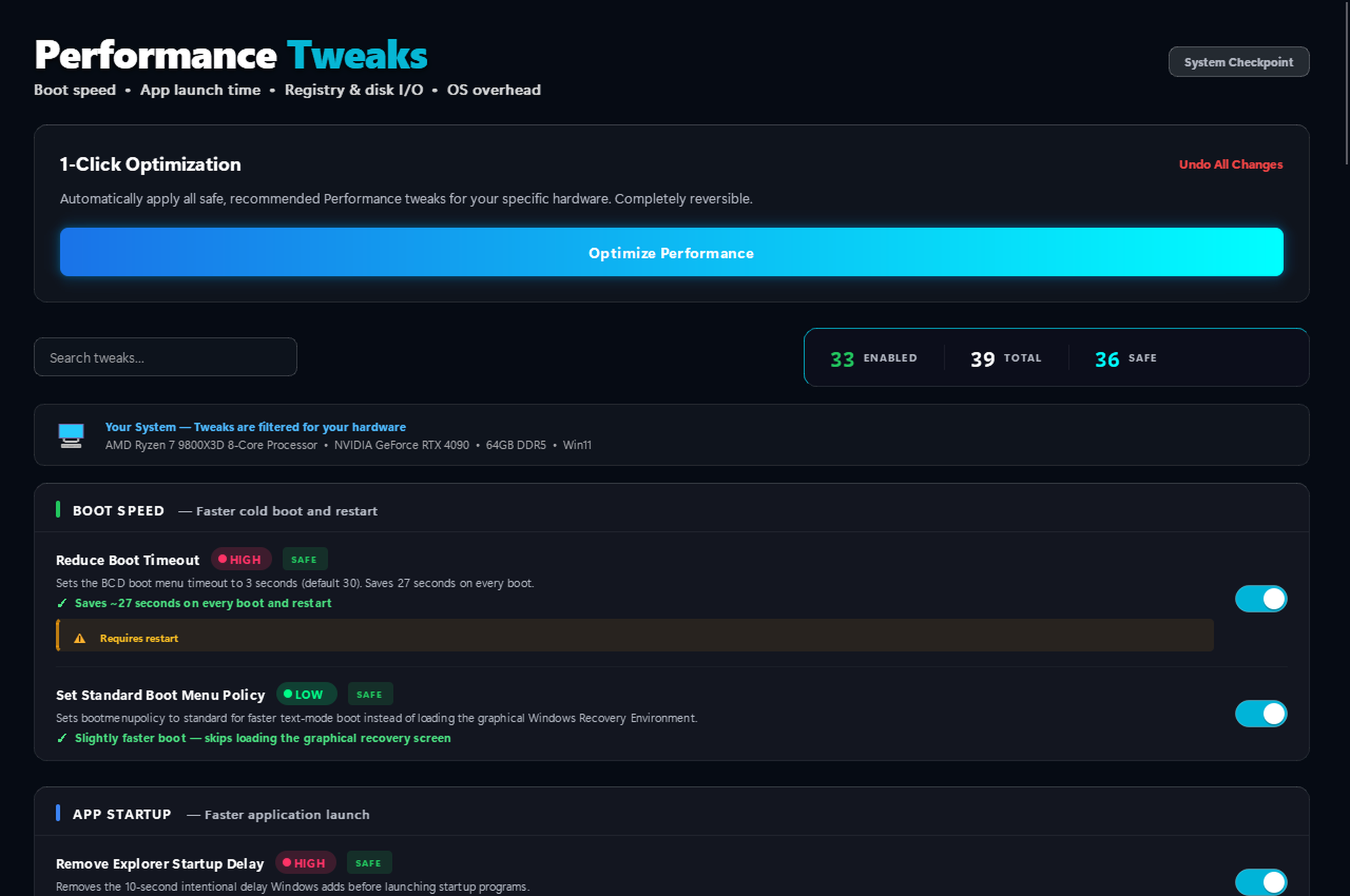
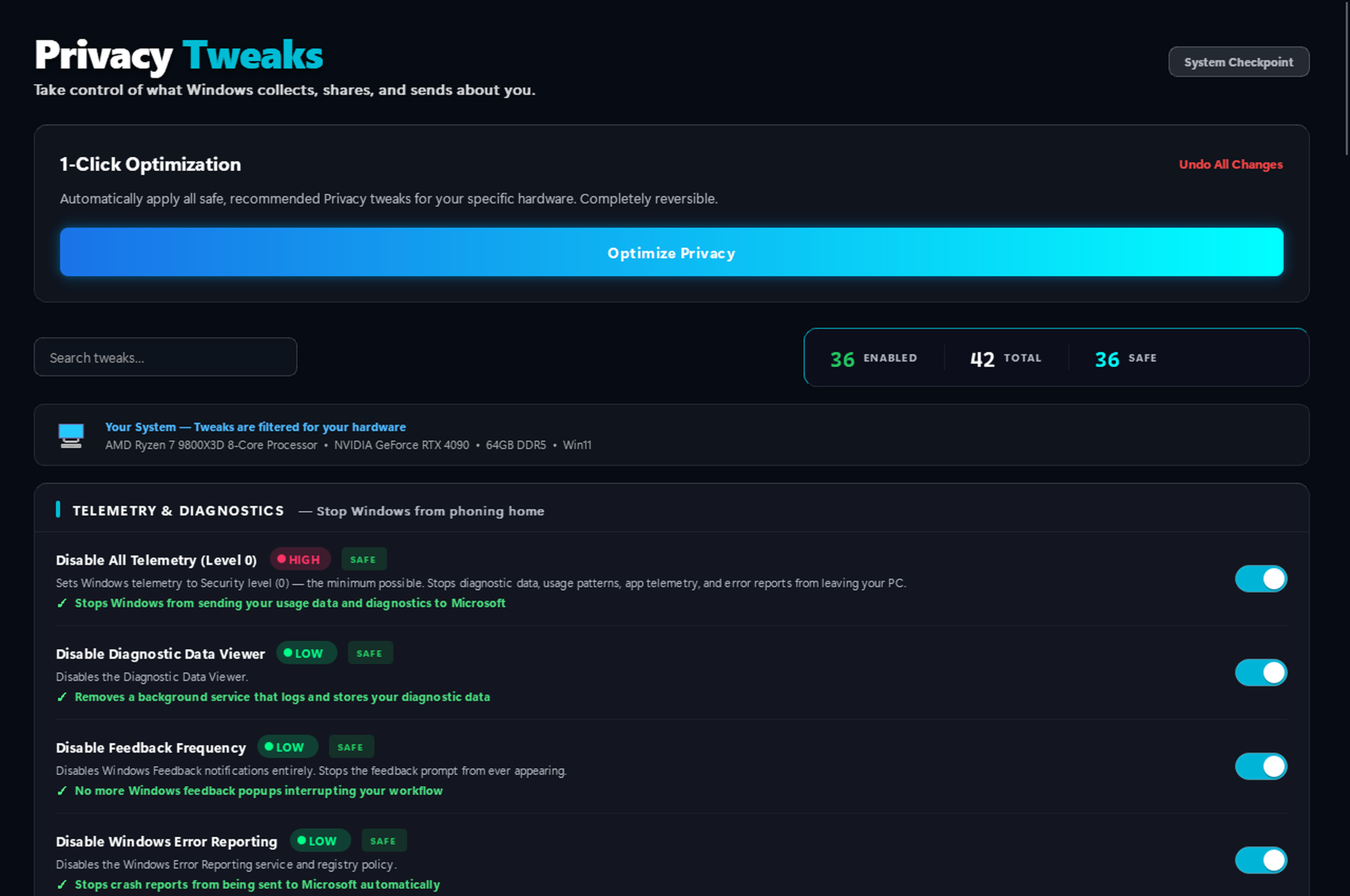
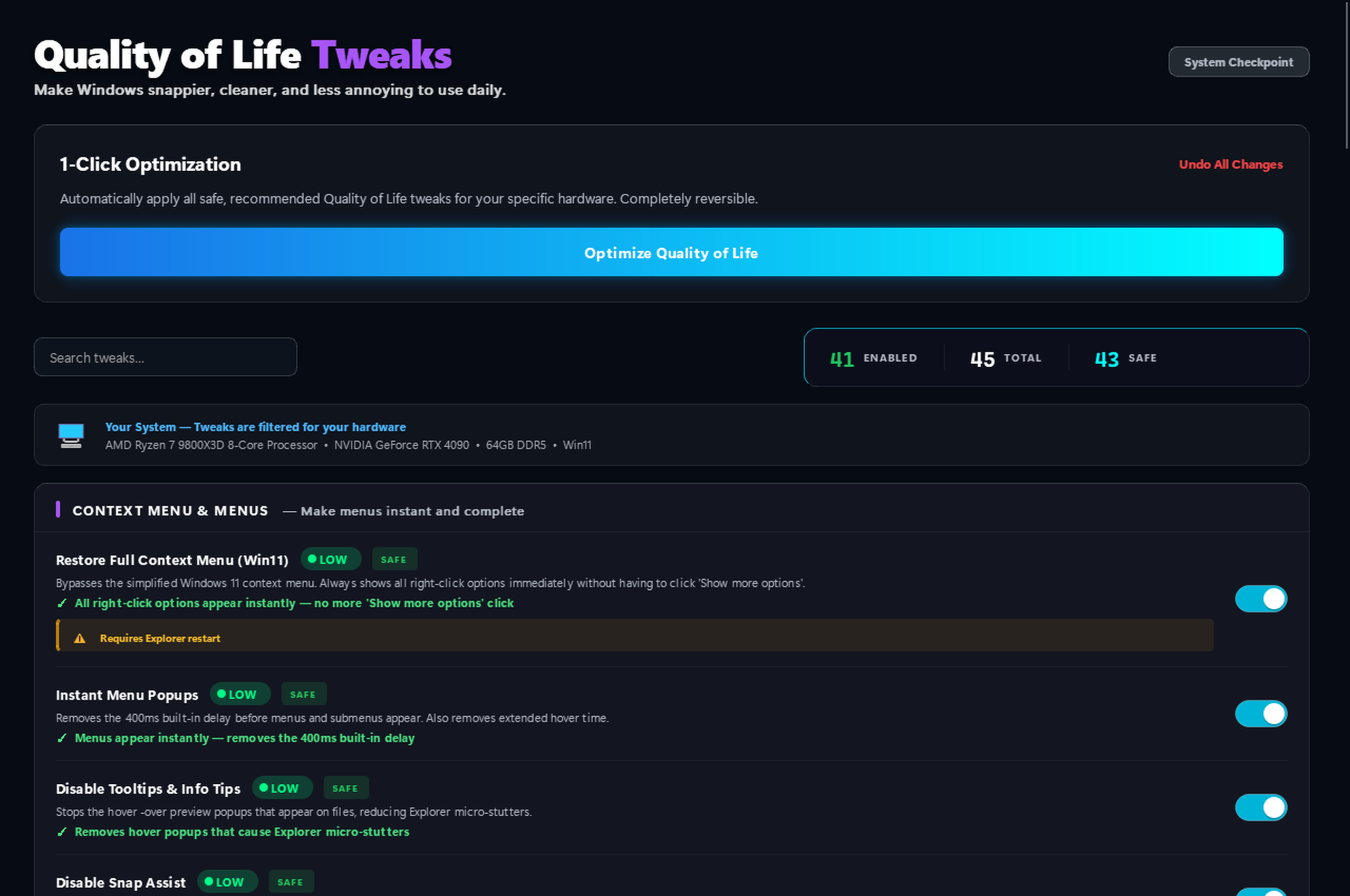
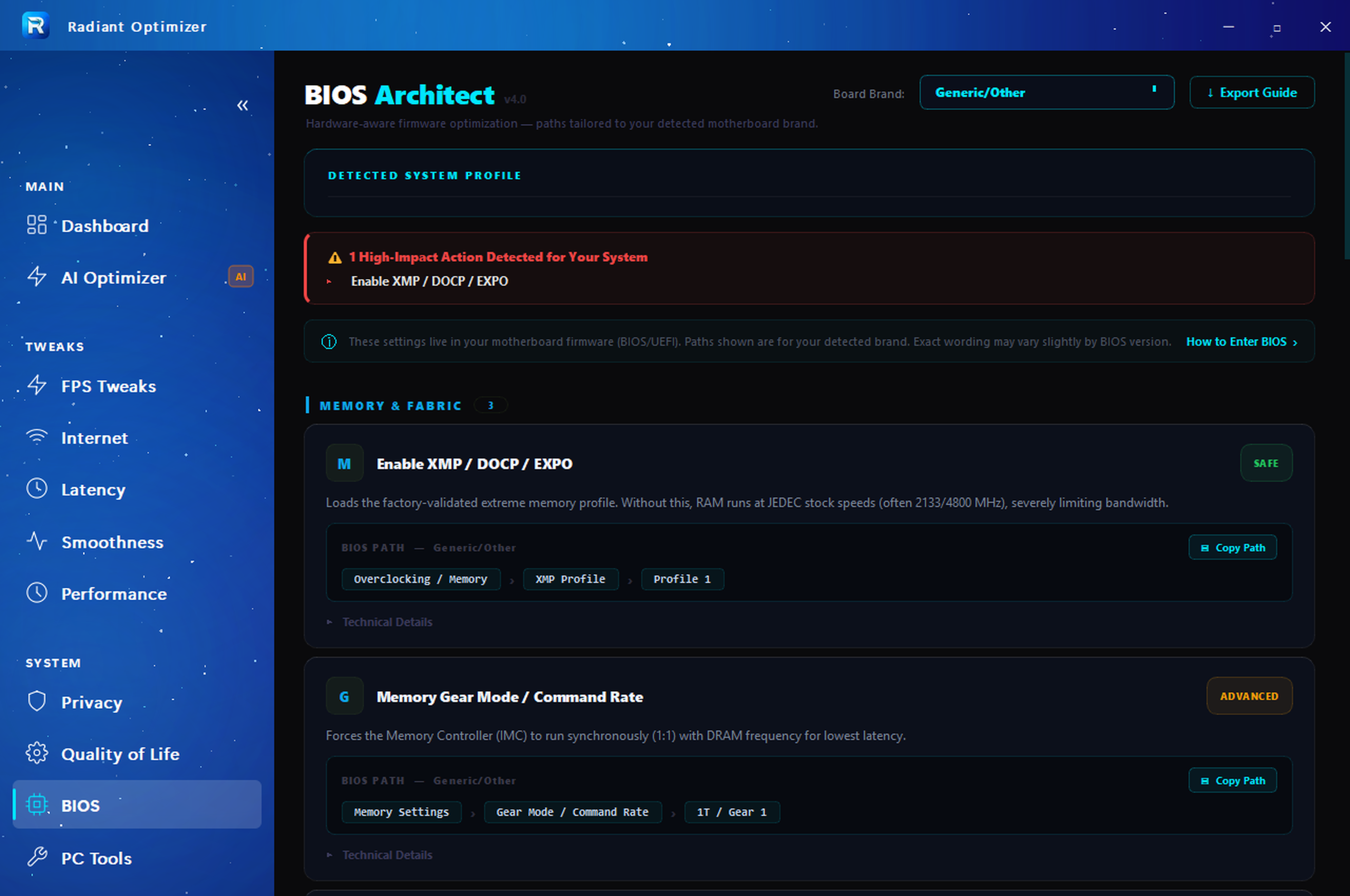
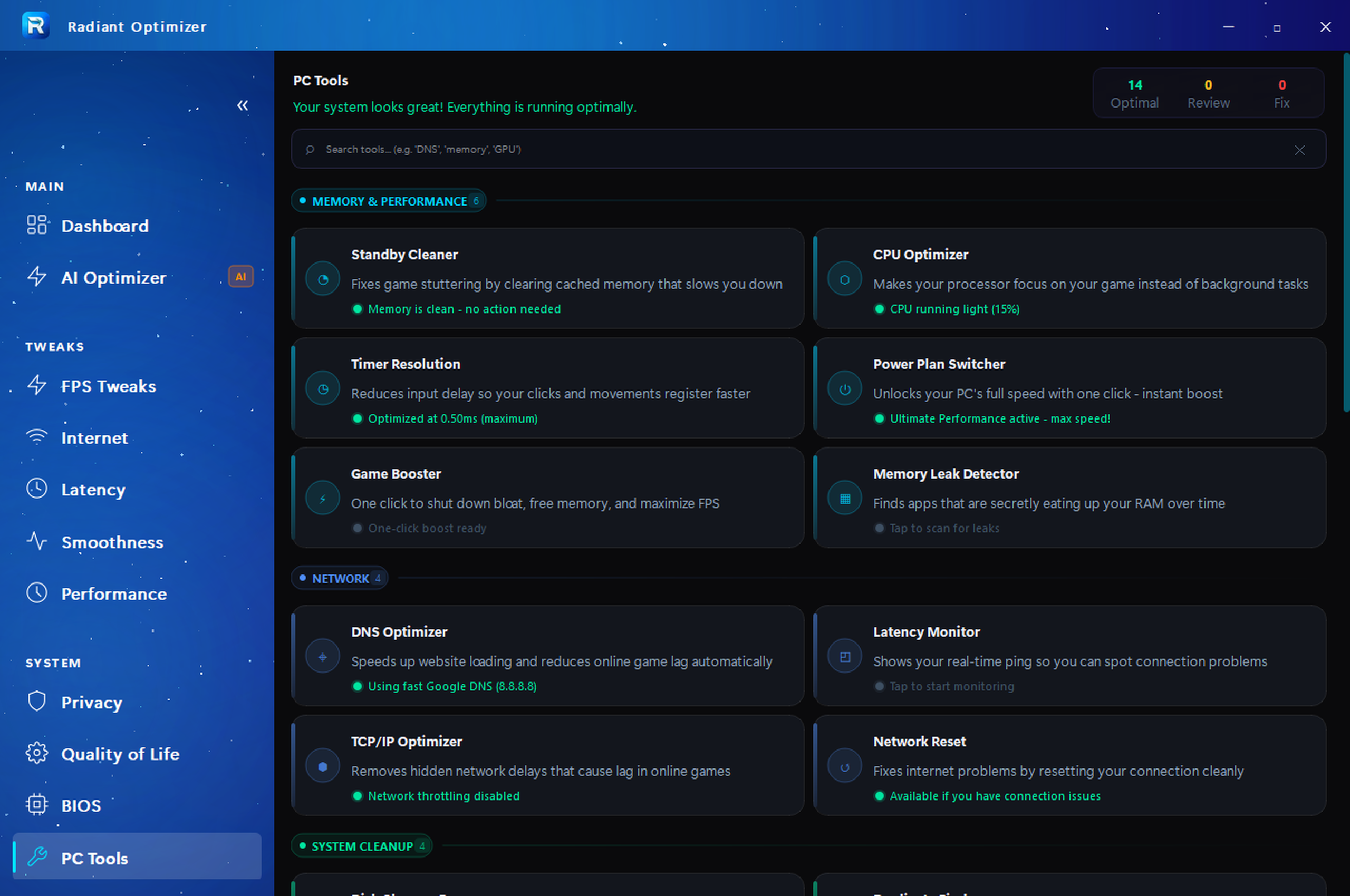
Click any category to see the actual interface. No mockups — this is exactly what you get.
Your personal optimization engine. Scans your exact GPU, CPU, RAM and Windows version — builds a plan specifically for your hardware.
Other optimizers charge extra for a single scanner. Radiant includes 22 fully-featured PC tools with every license — no upsells, no add-ons.
Radiant isn't built by marketers — it's built by a 2x World Series of Warzone LAN Finalist with 3+ years of professional competitive play. These aren't theoretical tweaks from a blog. They're battle-tested optimizations refined at the highest level of competition, where a single frame drop means elimination.
Verify it yourself → twitch.tv/e700Subscription apps bleed you monthly. "Twitter optimizers" charge $100+ per session and use invasive remote access. Compare for yourself.
No tech knowledge needed. Here's exactly what happens after you click buy.
Click "Get My License Key — $37". Instant checkout via Stripe. Takes 30 seconds. No account needed to start.
Your license key appears in your dashboard automatically. Download the .exe directly from your account — no email hunting.
Open Radiant, click Apply. 298+ tweaks applied in under 5 minutes. Close the app — zero background processes. Go game.
No subscriptions. No monthly bleeding. No upsells. Pay once, own it forever.
Your hardware is capable of more. Your network is capable of more. Your inputs are capable of more. The only thing standing between you and peak performance is 298 registry-level optimizations, 22 premium tools, and five minutes of your time.
Absolutely. Every tweak is a documented Windows registry or configuration change — nothing is hidden or irreversible. Before any changes, Radiant creates a system restore point. One click restores your system to exactly how it was.
Yes — with a caveat. Results vary by system. On a heavily bloated Windows install, you may see up to +35 FPS and dramatic latency reduction. On a system that's already partially optimized, gains will be smaller but still measurable. Every tweak is backed by legitimate documentation, not placebo.
Free guides cover maybe 10–15 surface-level tweaks and take hours to follow manually. Radiant applies 298+ kernel-level optimizations in under five minutes. It also includes 22 premium PC tools, an AI engine that personalizes for your hardware, and deep tweaks like MSI interrupt mode, DPC latency reduction, TCP ACK frequency tuning, and NVIDIA/AMD driver-level optimizations most guides don't even know exist.
Every license includes 22 built-in tools: Game Booster, Performance Benchmark, CPU Optimizer, Timer Resolution Manager, Power Plan Switcher, Memory Leak Detector, DNS Optimizer, Network Monitor, TCP/IP Optimizer, Network Reset, Disk Cleanup, Duplicate File Finder, Service Optimizer, Context Menu Cleaner, GPU Optimizer, Input Lag Reducer, Defender Optimizer, Shader Cache Tool, DirectStorage Checker, System Information, Startup Manager, and Temperature Monitor. All included with your license — no extra cost.
Yes — this is one of Radiant's most unique features. The AI Engine scans your system for known harmful settings that other optimizers commonly apply (like disabling GPU preemption, misconfiguring MMCSS, or setting a balanced power plan). When detected, Radiant flags them and offers to reverse the damage. No other optimizer on the market does this.
Yes. Radiant AI scans your exact GPU model, CPU (cores, clock speed, generation), RAM (speed, capacity, channels), and Windows version — then generates optimization recommendations tailored specifically to your hardware. It's not a generic checklist. It's a personalized plan for the system in front of you.
No. Radiant applies optimizations to your Windows configuration, then closes. Zero background processes, zero resource usage, zero interference with your games. The opposite of bloatware.
Just re-run Radiant. It takes under five minutes and you own it for life. No re-purchase, no new session fee, no waitlist. Click, optimize, game.
Every game. Radiant optimizes Windows itself — not individual games. Fortnite, Warzone, Valorant, Apex Legends, CS2, Overwatch 2, Rocket League, R6 Siege, and every other title automatically benefits. If it runs on Windows, Radiant makes it run better.
Yes. Radiant Optimizer supports English, Spanish, French, and German — with more languages being added. The full interface, every tweak description, and all tool pages are completely translated.
No. Radiant Optimizer is 100% safe for all competitive anti-cheat systems. Radiant only modifies Windows registry settings, power plans, network configuration, and system services — the same changes you could make manually through Windows settings. It does not inject into game processes, modify game files, hook into kernel drivers, or interact with anti-cheat software in any way. Vanguard (Valorant/LoL), Ricochet (Warzone/CoD), Easy Anti-Cheat (Fortnite, Apex, Rust), and FACEIT Anti-Cheat all operate at the game/driver level and do not flag Windows configuration changes. Thousands of competitive players use Windows optimization tools without issue. If you're ever unsure, Radiant's one-click restore point lets you revert every change instantly.
Yes — your license is tied to your hardware for security purposes. This prevents license sharing and ensures your key is protected. If you upgrade your PC or replace your motherboard, contact support via Discord and we'll transfer your license. We want you to keep your edge, not lose it to a hardware upgrade.